





A technician opens tomorrow's job and finds one note: “Need to come back with part.” Which part? Has it arrived? What did the customer agree to? If someone else takes the return visit, that sentence leaves them starting over in the driveway.
A second visit is sometimes the right plan. The problem is sending a technician before the shop has made that plan usable. For an HVAC, plumbing or electrical company owner, the useful question is: could a qualified technician who missed the first visit understand what happens next without calling the person who was there?
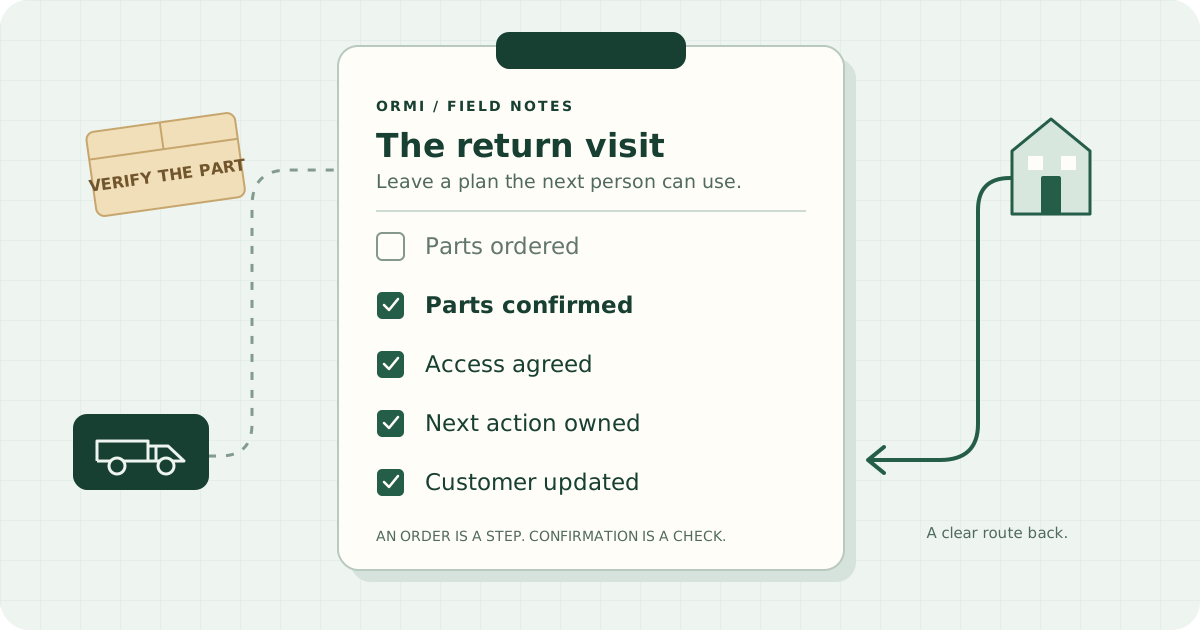
Separate the reason to return from readiness to return
“Return required” describes unfinished work. “Ready to return” means the dependencies for that particular visit have been checked. Those are different decisions.
Keep a provisional slot if it helps planning, but label it provisional internally. Before making a firm customer promise, have someone confirm the parts, access and approval needed for the planned scope. If the missing information is itself the reason for another diagnostic visit, say so. Dispatch should know whether it is sending someone to diagnose, install or finish testing.
This is a shop routine you can run with a shared job note. It does not need a new software field or an automatic scheduling gate. Agree on one heading, such as RETURN VISIT HANDOFF, and use it consistently.
The six things the next technician needs
1. What happened on the first visit
Write the customer's reported problem, what the technician observed, what they checked and what work they performed. Keep observations separate from a suspected cause. Include the equipment or fixture identity and the location of useful photos or readings.
“Intermittent cooling complaint; fault not reproduced during visit” tells the next person something different from “failed component confirmed.” Do not make a diagnosis sound settled when it is still a possibility.
2. What remains, and what condition the site was left in
Name the return scope in plain language. Include what was left incomplete, any temporary arrangement, and any documented restrictions or instructions already given to the customer. A qualified technician should record safety information under your company's procedures. A handoff note does not replace those procedures or authorize someone to restore equipment to service.
Be specific about the visit's intended outcome: confirm the fault, replace an approved component, complete the agreed installation, or perform the remaining verification. Note any work outside that scope that still needs approval.
3. Parts ordered versus parts confirmed
An order number is useful evidence that somebody placed an order. It is not evidence that the right part will be in the technician's hands tomorrow.
Record these separately:
- Requested or ordered: item, identifying specification or part number, quantity, supplier, order reference and current expected arrival.
- Confirmed for the visit: who checked the received item against the job requirements, when they checked it, and where it will be collected or loaded.
- Still unresolved: backorder, substitution, missing item or compatibility question, with a named person responsible for resolving it.
If a supplier gives an estimated arrival, keep the word “estimated.” If an item is being collected on the way, name the pickup owner and confirmation needed before the visit. The office should not have to infer readiness from “parts sorted.”
4. Access and approval
Check who can let the technician in, which service address or unit they need, and the agreed access window. Record any parking, building-management or workspace constraints that affect this visit. Store access credentials only in your approved secure place, not in a broadly shared note.
Keep permission to enter separate from permission to do the work. Reference the approved scope or estimate, who approved it, and anything still awaiting a decision. For work that needs a permit, inspection, utility coordination or another specialist, identify the responsible person and confirm the dependency through your usual process before committing to the visit.
5. One named owner for each next action
“The office will chase it” leaves everyone able to assume someone else has done it. Write a person's name, an action and a due time: “Alex: confirm the supplier pickup by Tuesday at 2 p.m.”
Then name who will review readiness and who will brief the assigned technician. In a small shop, those may all be you. The point is that every unresolved item has somewhere to land. When someone is away, transfer the action explicitly.
6. The promise made to the customer
Capture the last update, when it was given, and what the customer was told would happen next. Distinguish a confirmed appointment from a tentative window and from a promise to call with an update.
“Jamie will call by 3 p.m. Tuesday with the part status” is a promise the shop can keep even if the part is delayed. If the plan changes, assign that update before the customer has to ask. Our customer communication guide covers the wider communication routine.
Three hypothetical handoffs
These examples are invented to show the level of detail, not reports of customer jobs or technical repair instructions.
HVAC: A first visit identifies a component for replacement. The note points to the equipment label photo and recorded findings. The replacement has been ordered, but delivery is still estimated. Alex owns checking the received part against the recorded equipment details. Jamie owes the homeowner a status call tomorrow afternoon. The return remains provisional until that check and access confirmation are complete.
Plumbing: A repair needs a replacement fixture component. The handoff records what was inspected, the condition left by the first technician and where the supporting photos are saved. The part is received and checked, but the tenant cannot authorize the additional work. Morgan owns obtaining the property manager's approval and agreeing access with the tenant. Having the part on the shelf does not settle either question.
Electrical: An assessment leads to proposed follow-up work during an agreed shutdown. The handoff references the findings and approved scope, with any safety restrictions documented by the qualified electrician. The building contact has not confirmed the shutdown window. Casey owns that confirmation and any required coordination under the shop's procedures. The next technician gets the confirmed plan before leaving, rather than negotiating an outage on arrival.
Copy this into your job notes
Use “not needed” when an item does not apply. Use “unconfirmed” when nobody has checked it. An empty line should not silently mean “done.”
RETURN VISIT HANDOFF
- Job / site / equipment:
- Written by / date and time:
- First-visit complaint and observations:
- Checks and work performed / photo references:
- Site condition left / documented restrictions:
- Remaining scope / intended outcome of next visit:
- Parts ordered / supplier / reference / estimated arrival:
- Parts confirmed / checked by / checked when / pickup location:
- Access contact / agreed window / constraints:
- Scope approval reference / outstanding approvals or coordination:
- Open action / named owner / due time:
- Last customer update / next promise / update owner:
- Provisional or confirmed visit / readiness reviewed by / time:
- Assigned technician / briefed by / time:
Repeat the open-action line for each dependency. Keep this note with the job, and update it when something changes. If your system uses a separate return appointment or job, link the records so the first visit's findings remain easy to find.
Give owners a short exception review
At the end of the day, review tomorrow's return visits with whoever runs dispatch. Read each one as if its first technician were unavailable. Look for four gaps: an unconfirmed part, unresolved access or approval, an action without an owner, or a customer update that is due.
For each gap, decide whether to resolve it before the visit, keep the slot provisional or move the visit and contact the customer. Confirm the assigned technician has the handoff. Avoid treating a full calendar as evidence that every job is ready.
Once a week, pick one return that went smoothly and one that stalled. Ask what the second technician had to rediscover. Change the checklist only when the answer exposes missing information. Keep it short enough that the first technician can finish it while the details are fresh.
For the wider planning process, see our dispatch efficiency guide. If you want to see how Ormi brings scheduling, job notes and photos into the workflow, take a look at Ormi. Start with one return visit and a handoff the next person can actually use.